User guide · v1.0.19
How to use StrataKey
Short steps for install, keys, and loadouts. Windows 10/11.
Install
- Run StrataKey-Setup-1.0.19.exe.
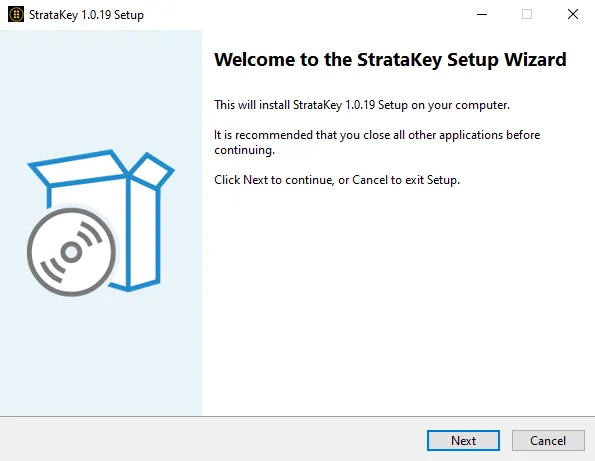
- On the welcome screen, click Next.
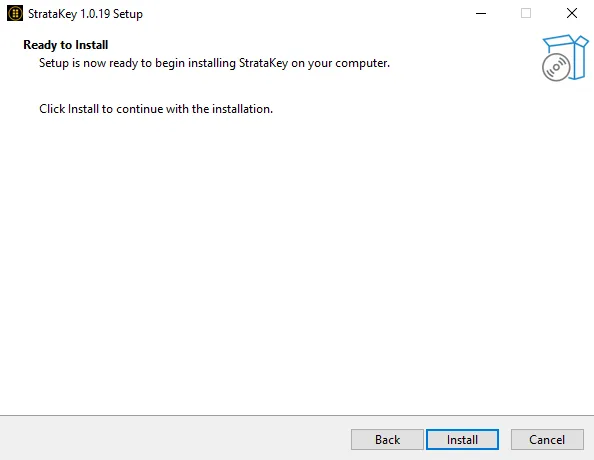
- On Ready to Install, click Install.
- If Windows shows Windows protected your PC, click More info, then Run anyway.
Tip: close StrataKey when you finish playing.
First launch
- Open StrataKey.
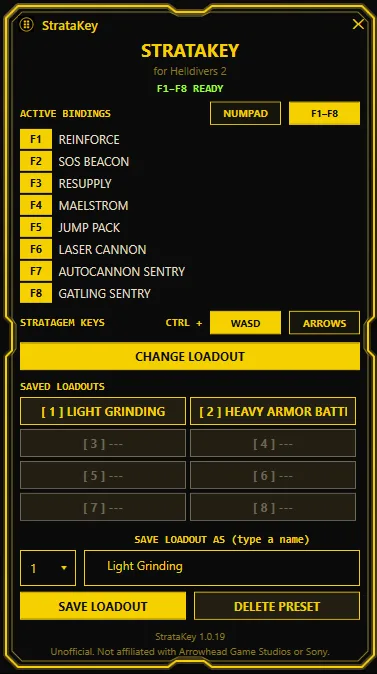
- Confirm the status line shows ready (for example F1–F8 READY).
- Set your keys and loadout before your next mission.
Key bindings
- Choose Numpad or F1–F8 at the top of Active Bindings.
- Assign one stratagem to each key (up to 8).
- Press that key in-game to call the full stratagem code.
Stratagem keys
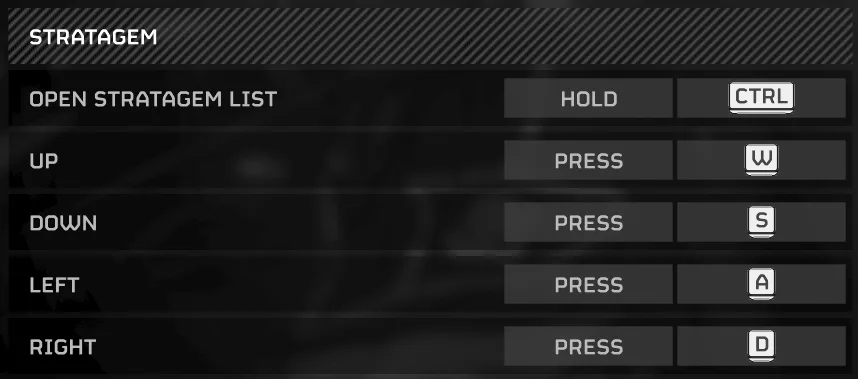
StrataKey must match Helldivers 2’s stratagem input settings.
- In StrataKey, under Stratagem Keys, pick Ctrl + WASD or Ctrl + Arrows.
- In Helldivers 2, open Options → Stratagem keybinds.
- Match Open Stratagem List to Hold Ctrl, and Up/Down/Left/Right to the same WASD or Arrow keys.
Loadout
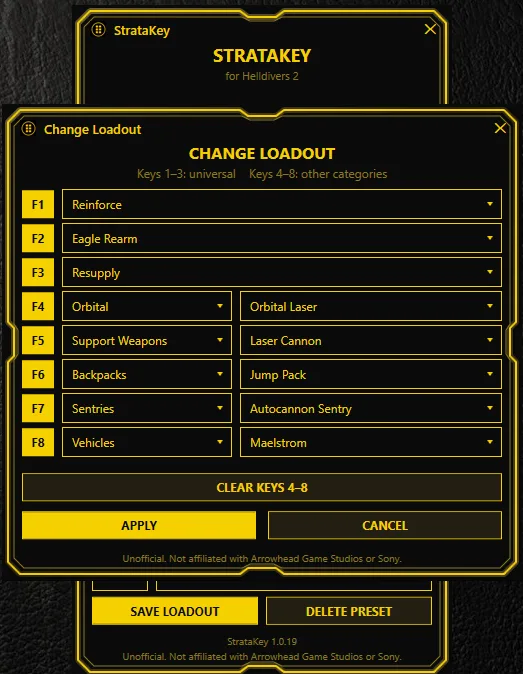
- Click Change Loadout to edit the active slots.
- Fill F1–F8 (or Numpad) with the stratagems you want for that build.
- You can keep up to 8 saved loadouts.
Presets
- Under Save loadout as, pick a slot number and type a name.
- Click Save Loadout.
- To remove a saved build, select it and click Delete Preset.
Switching loadouts
- Use the saved loadout grid (slots 1–8) to pick another build.
- Swap builds between missions in one click — no reinstall needed.
Troubleshooting
- Windows protected your PC: More info → Run anyway. StrataKey is unsigned.
- Key does nothing: Confirm Stratagem Keys in StrataKey match the in-game Ctrl + WASD or Arrows settings, and that the status line shows ready.
- My Numpad or F keys act strangely after I quit the game: StrataKey keeps your hotkeys and stratagem sequences active for as long as the app is open, even after you close Helldivers 2. Close StrataKey when you’re done playing and your keys go back to normal.
- Still stuck: Use Contact Support on the site (or email support@stratakey.app).
FAQ
Does it work with a controller?
Keyboard only for now.
Do I need to run StrataKey as administrator?
No. It doesn’t need to stay in focus and works in fullscreen, borderless, or windowed.
Do saved loadouts survive updates and reinstalls?
Yes. Presets are kept through updates and reinstalls. They’re stored in the install location chosen during setup (the default location by default).
How do I update?
Check https://stratakey.app for new versions and download the latest update file (it updates an existing install). Automatic update notices are planned.
How do I uninstall?
Windows Settings → Apps (Add or remove programs) → StrataKey → Uninstall.
Can I use custom in-game keybinds?
Only Ctrl+WASD or Ctrl+Arrow keys are supported. Set your in-game stratagem bindings to one of those.
Any conflicts with antivirus, keyboard software, or macro tools?
None known so far. If you hit one, submit a support ticket right away.
Which Windows versions are supported?
Tested on Windows 10 and Windows 11.
My Numpad or F keys act strangely after I quit the game.
StrataKey keeps your hotkeys and stratagem sequences active for as long as the app is open, even after you close Helldivers 2. Close StrataKey when you’re done playing and your keys go back to normal.
Why don’t in-game stratagem sequences work with this app?
StrataKey handles your loadout only. Aside from the universal stratagems, other stratagems you pick up during a mission still need to be entered manually. That’s intentional: StrataKey stays out of the way of the game so your in-game experience and gameplay stay intact. Many in-mission sequences are also random, so those stay on you to type.